Docustar
Paper and digital, in one system.
Docustar is document archiving and electronic document management (EDM) software built for organisations that hold both digital documents and paper records. It centralises the indexing, search and retention of your documents, and it runs just as well on a closed network as on a connected server.
Let's talk about your projectWhen the archive becomes the problem
In most organisations documents live in two places: scanned files scattered across shared drives, and boxes stacked in a records room. The two never talk to each other.
Finding a document then means knowing where it is before you can look for it. A misfiled folder is a lost folder. And nobody can say for certain how long each document must legally be kept.
Docustar brings both worlds into one system, with search that reads inside the documents and retention rules attached to every folder. That is going paperless properly: digital and paper managed together, not one instead of the other.
The modules
Digital archiving
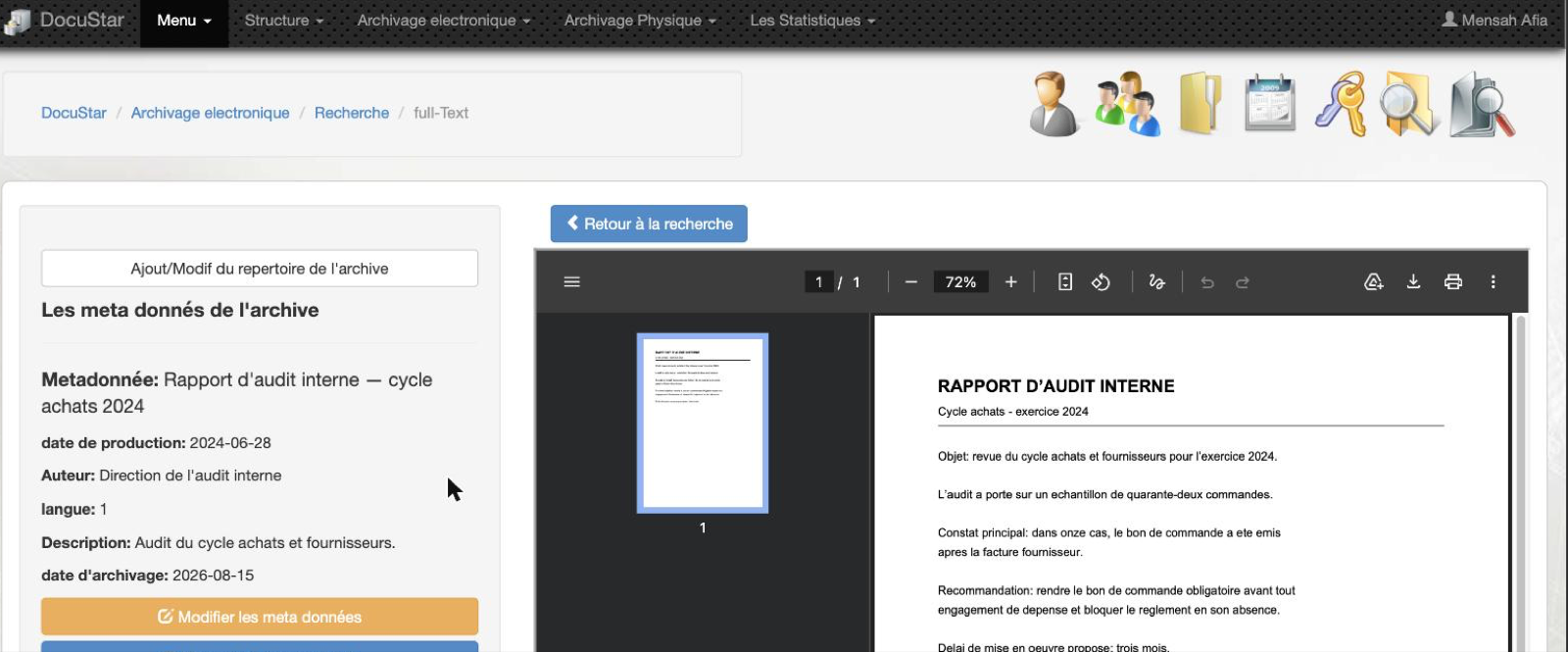
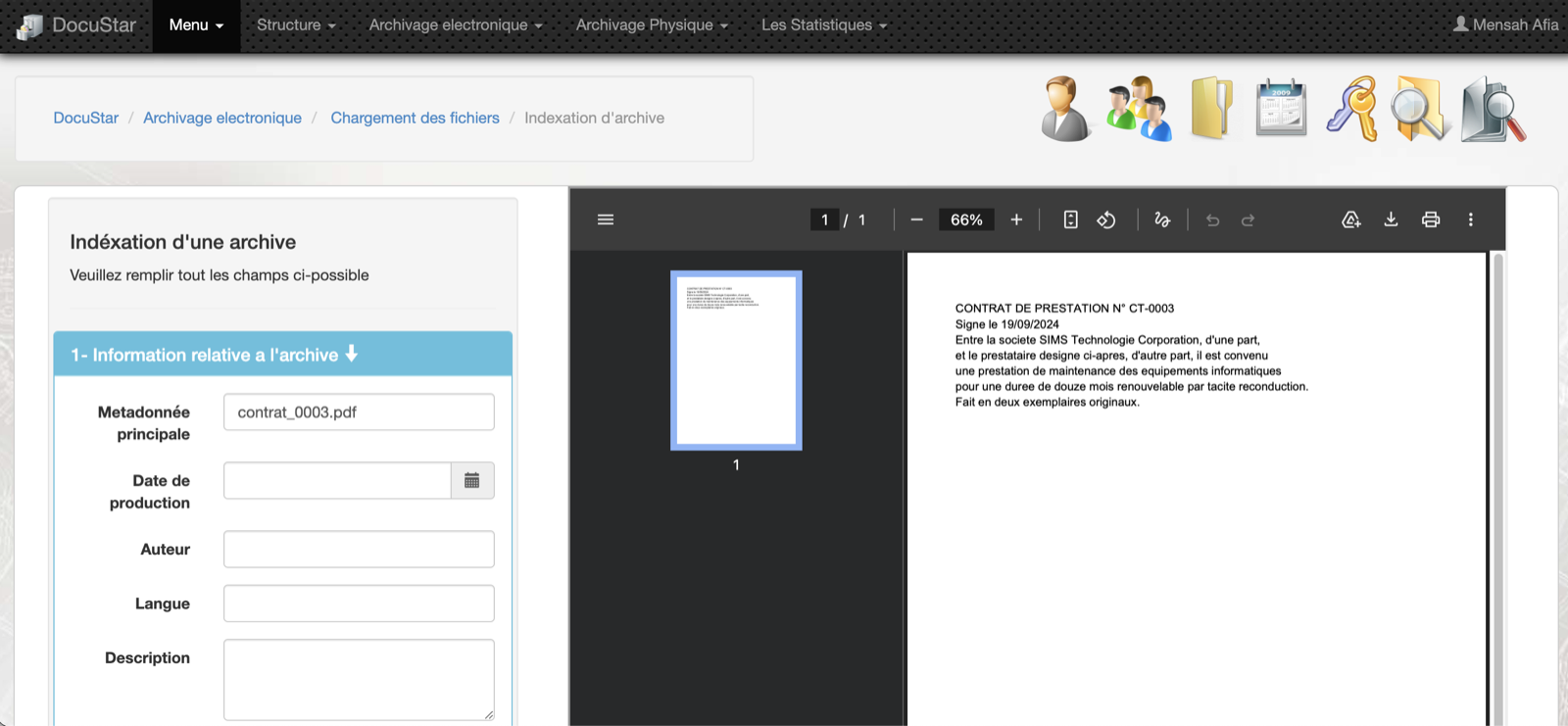
Index your scanned documents, read them as PDF and keep the history of every version. The text is extracted automatically at indexing time.
Physical archiving
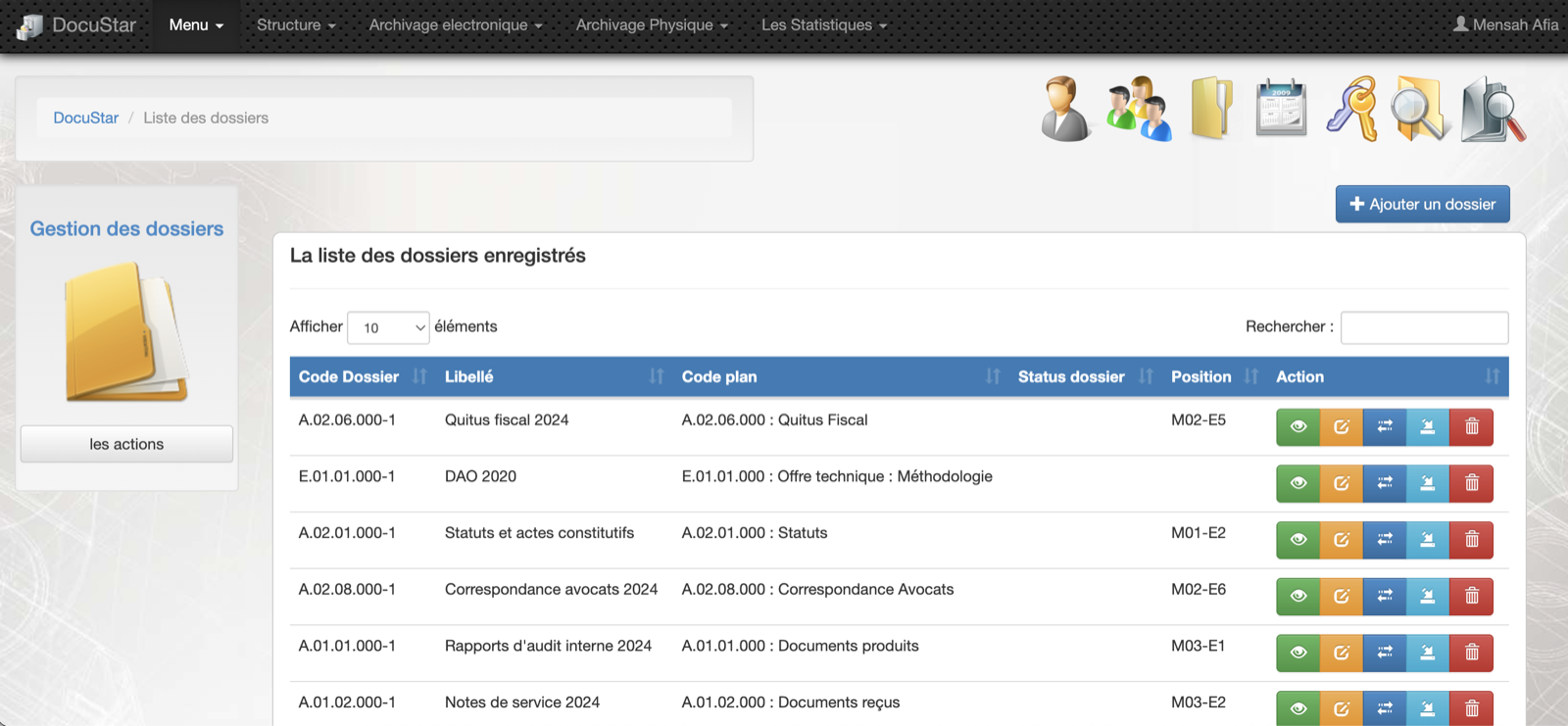
Prepare, transfer and locate your paper archives. Every folder carries its real position in the records room, as a code such as M02-E5.
Classification plan and retention
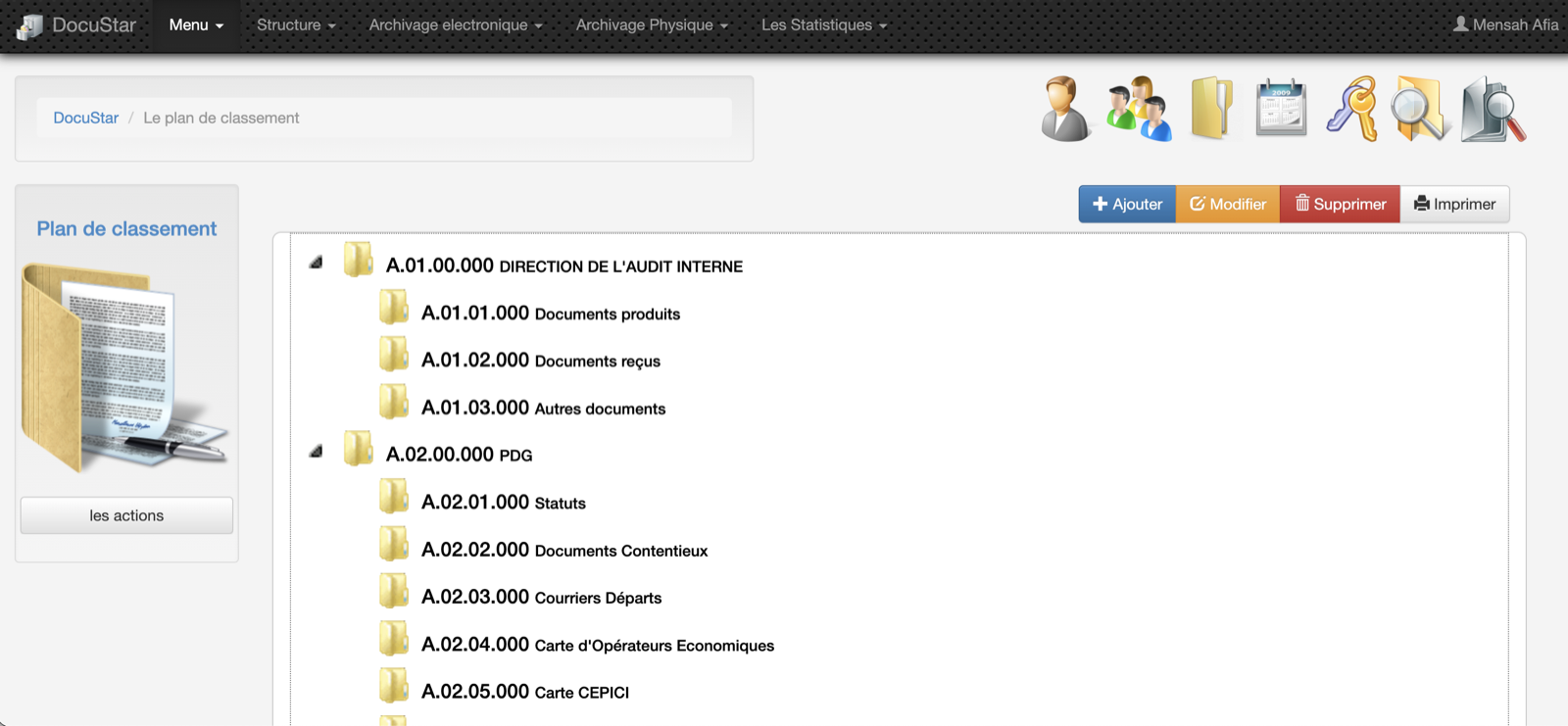
Build your classification plan as a tree and attach a retention rule to each folder. How long a document must be kept stops being an open question.
Full-text search
Search reads the content of the documents, not just their titles. It first demands all your words, then widens if it finds nothing. It warns you when the result is no longer exact.
Clearance-level security
The security level is set on the branches of the classification plan and flows down to the folders automatically. An officer sees only what their clearance allows, including in search results.
Batch import
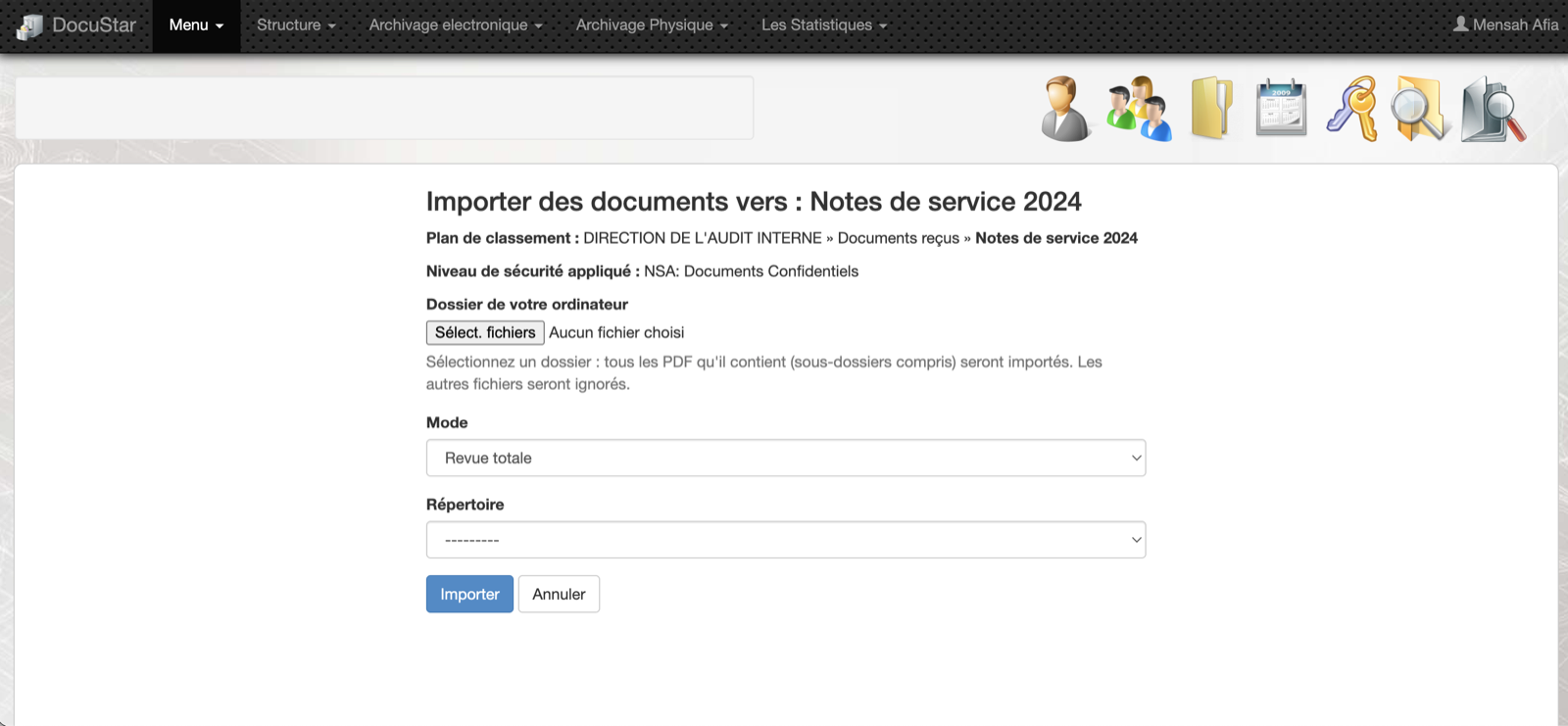
Bring in archives you have already scanned without re-keying them. Docustar walks your folders, offers a dry run before anything is saved, then indexes the batch.
How it works
Scan
Scanning your paper documents feeds Docustar, one document at a time or in whole batches.
Index
Each document is given its title, date, author and filing folder. The PDF text is extracted automatically to feed the search.
Search
Your teams find a document by typing what they remember. Search reads the content and respects each person's clearance.
Preserve
Every folder follows its retention rule, and the paper archive keeps its physical position. You know where the original is and how long to keep it.
What makes it different
Paper and digital, together
Most software handles one or the other. Docustar tracks the scanned document and the box it came from, with its exact position in the records room.
Runs with no internet
Docustar installs on a server completely cut off from the network, from a USB key. The search engine and the handwriting reader ship inside it: no data is ever sent over the internet.
Reads handwritten dates
On hand-filled forms, Docustar reads the date written in pen to pre-fill the indexing record. When it is not certain it offers nothing, rather than a wrong date.
In pictures
Frequently asked questions
What is document archiving software, and how is it different from a shared drive?
A shared drive stores files. Archiving software gives them a classification plan, a retention period, access rights and a search that reads their content. On a shared drive a misfiled document is lost; in Docustar it stays findable by what is written inside it.
What is the difference between archiving software and an EDM system?
An EDM system, that is electronic document management, organises the documents you work with day to day. Archiving deals with what has to be kept: the retention period, the final outcome, traceability, and the original paper record. Docustar does both, so you do not need one tool for live documents and another for kept ones.
Does Docustar handle paper archives as well?
Yes, and it is one of the things that sets it apart. Docustar tracks the preparation, transfer and location of your paper archives, and records the physical position of every folder as a cabinet and shelf code, for example M02-E5.
Does Docustar need an internet connection?
No. Docustar is designed to run on a server with no internet access at all. Installation is done from a USB key, and every component ships inside the installation bundle, including the search engine and the handwritten-date reader.
Can we import archives we have already scanned?
Yes. The batch import module walks your existing folders and attaches them to your classification plan. A dry run shows you exactly what will be imported before anything is saved.
How does the search work?
Search covers the content of the documents, extracted automatically when they are indexed. It works in two passes: first a strict search demanding all your words, then a wider one if the first returns nothing. A banner then tells you the result is no longer exact.
Who can see which documents?
Each officer holds a clearance level. The required level is set on the main branches of the classification plan and flows down automatically to every folder beneath them. An officer sees only what their clearance permits, including in search results.
How does Docustar handle legal retention periods?
Every folder in the classification plan carries its retention rule. How long a document must be kept is therefore decided once, at the filing level, and then applies to everything filed there.
What does Docustar need to run on?
Docustar installs on a Linux server running Docker. Your teams then reach it from an ordinary web browser on your organisation's network. Nothing needs installing on individual computers.
Let'sbuildthenextone.
A product idea, a platform to deploy, a public system to modernise? Let's talk.